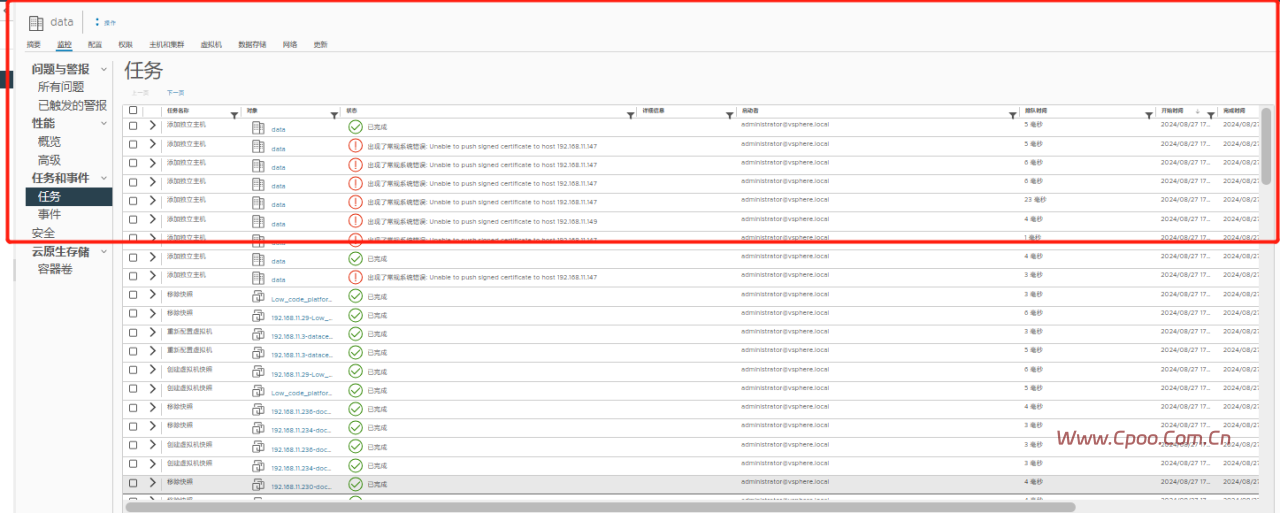
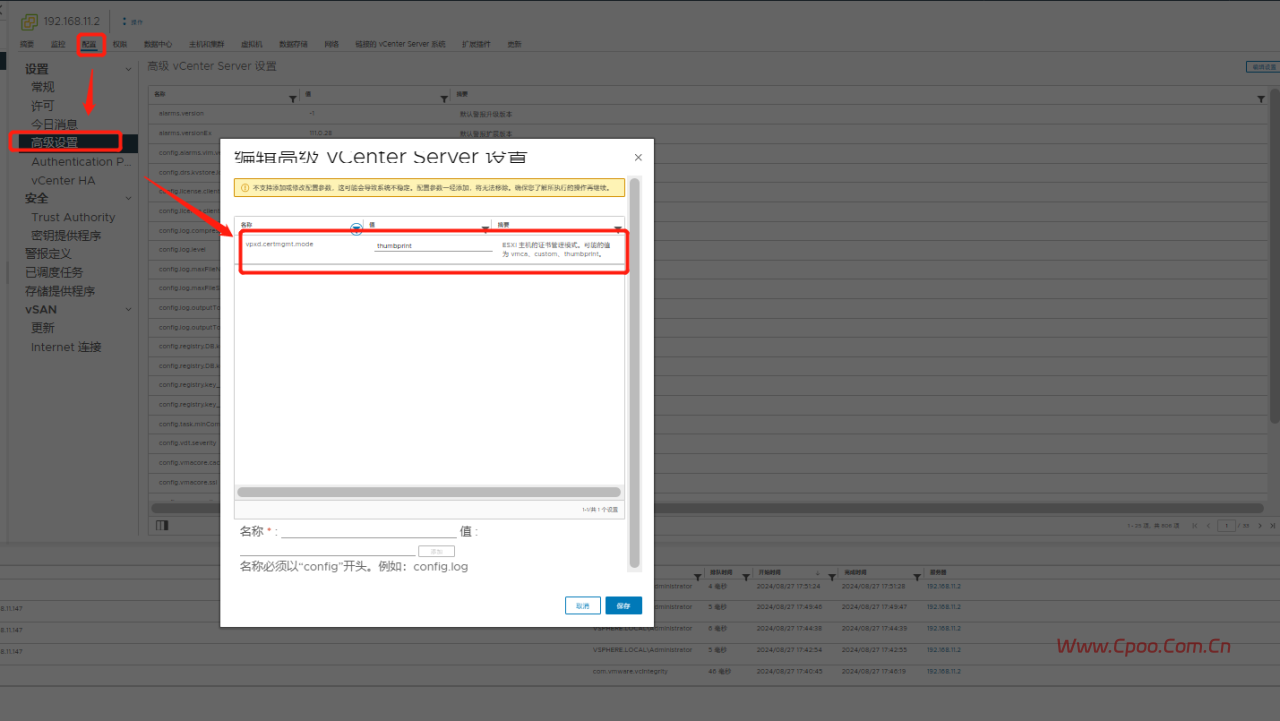
vCenter 7 8 Unable to push signed certificate to host IP VMware ESXi VMware vCenter Server Vmware vSphere 53分钟前 编辑 cpoo 取消关注 关注 私信 报错 解决方式 选择主机和集群>选中最上面的vcenter>配置>设置>高级设置>点击编辑设置中通过过滤器 搜索到vpxd.certmgmt.mode将值从默认的vmca更改为thumbprint保存 官方更改证书模式 给TA打赏 共{{data.count}}人 人已打赏 vcenter报错设置